




Pilot

NexG Vision

Every frame screened automatically. Your inspector reviews the findings. NexG Vision inspects transmission towers across visual and thermal imagery.

The problem

What NexG Vision exists to change.

Flying the mission is solved. The bottleneck comes after landing. An analyst works through thousands of frames by eye, for days, to produce one per-tower report. That review cost scales with line length. It caps how much survey work a team can take on.

Photos need to be sorted by tower before they are useful for review. On a survey spanning many towers, that sorting alone is a manual task before any inspection can begin.

A team piloting AI-assisted inspection needs a system that says what it can assess and what still needs a person to look.

Approach

How NexG Vision approaches it.

NexG Vision runs on models we develop and train in-house, purpose-built for transmission infrastructure. It inspects transmission towers across visual and thermal imagery.

Imagery is organised by tower automatically. Your team is not sorting photos before a review can start.

Every tower is checked against your own inspection parameters. When the imagery cannot support a judgement, NexG Vision says so. It flags the point for review. It never records it as a pass.

How it works

What actually happens when you run it.

  1. 01

    Upload

    Upload the survey. No sorting or preparation needed.

  2. 02

    Organise

    Imagery is arranged by tower automatically.

  3. 03

    Screen

    Every visual frame is checked for defects. Every thermal frame is checked for deviation from normal condition.

  4. 04

    Check

    Each tower is assessed against your own inspection parameters.

  5. 05

    Report

    You receive a report per tower with the supporting imagery attached.

Features

What’s inside.

Detection

  • In-house models, trained specifically for transmission infrastructure
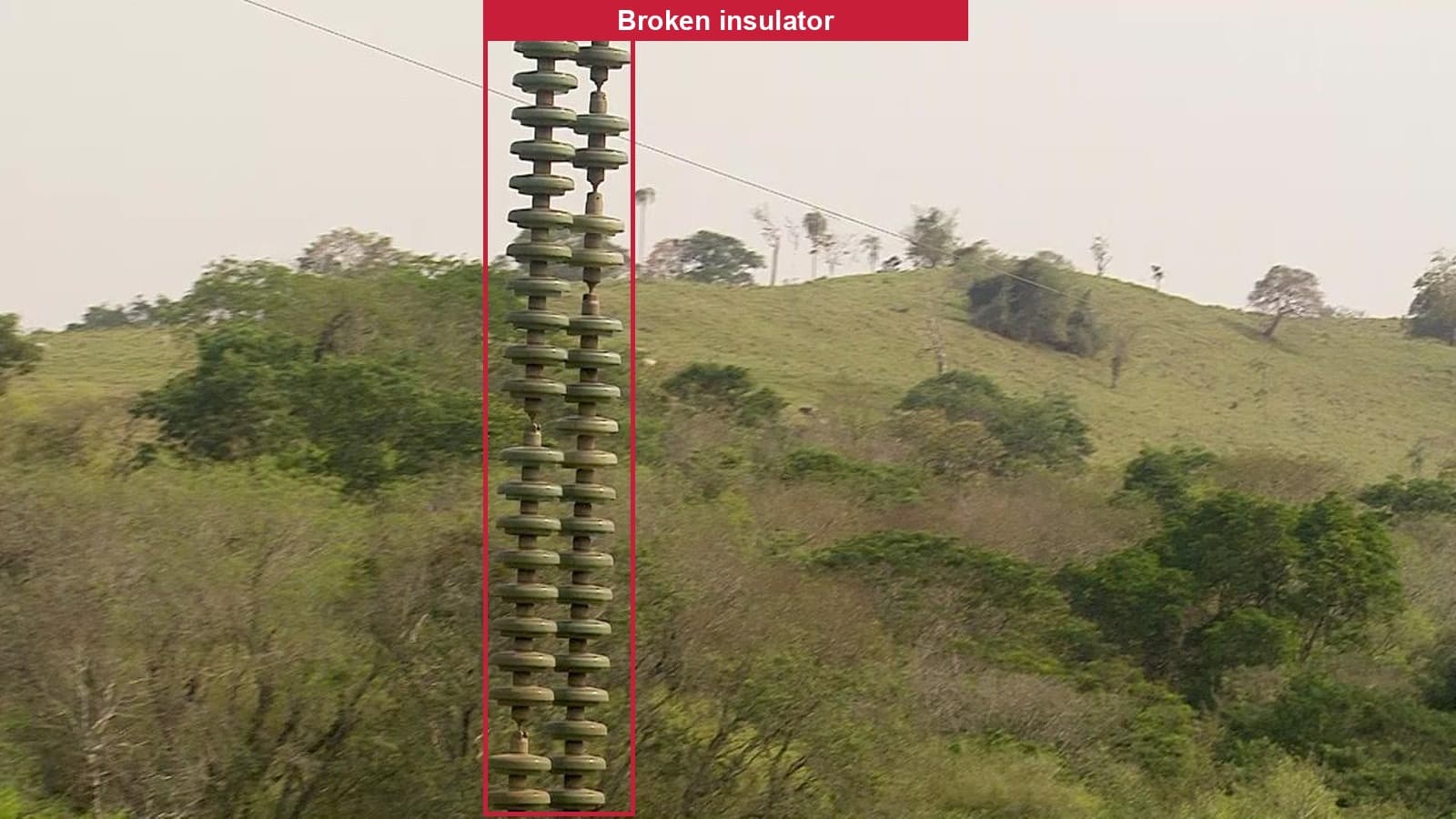
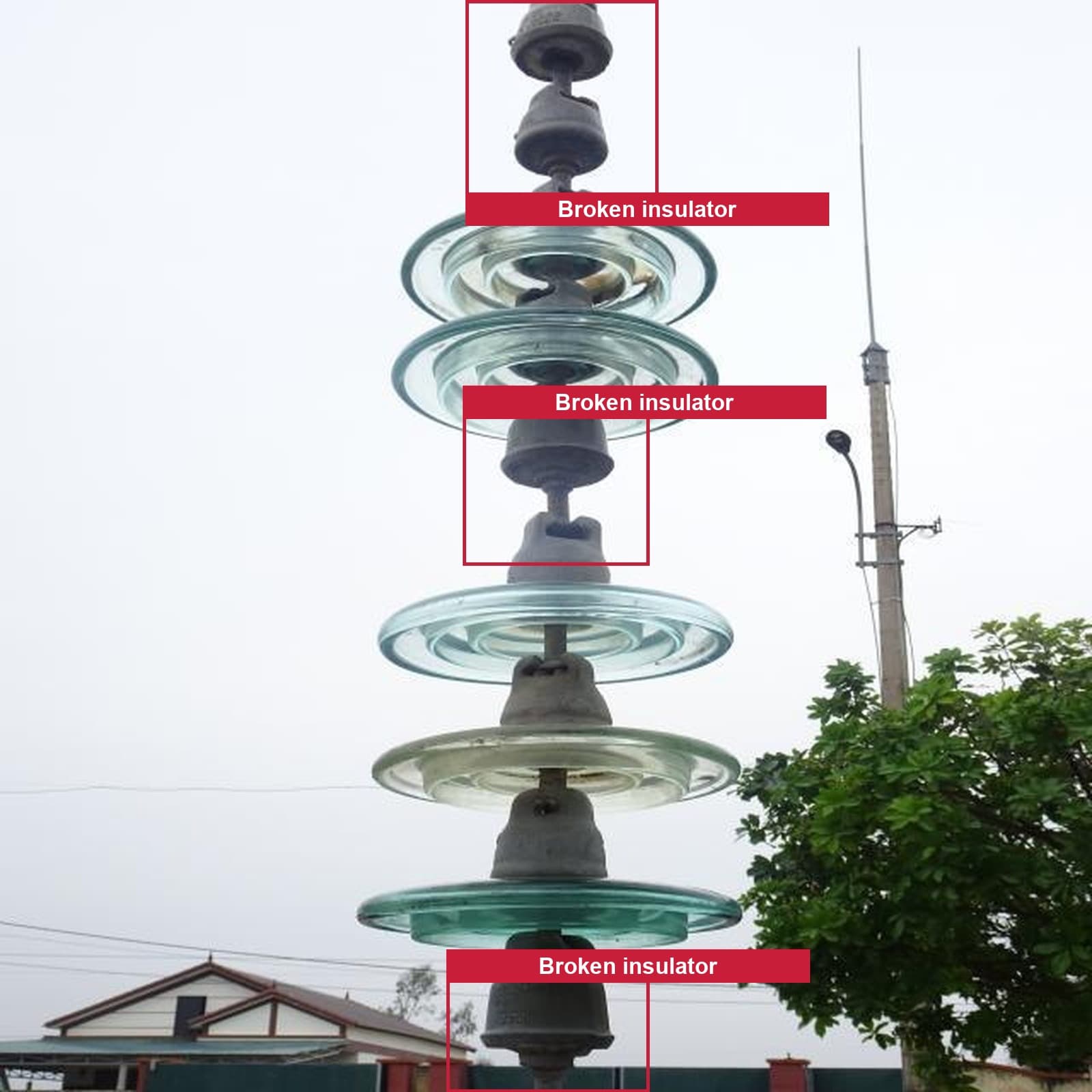
  • Broken or damaged insulator, broken conductor, corrosion, missing anti-climb device, bird nest, vegetation encroachment
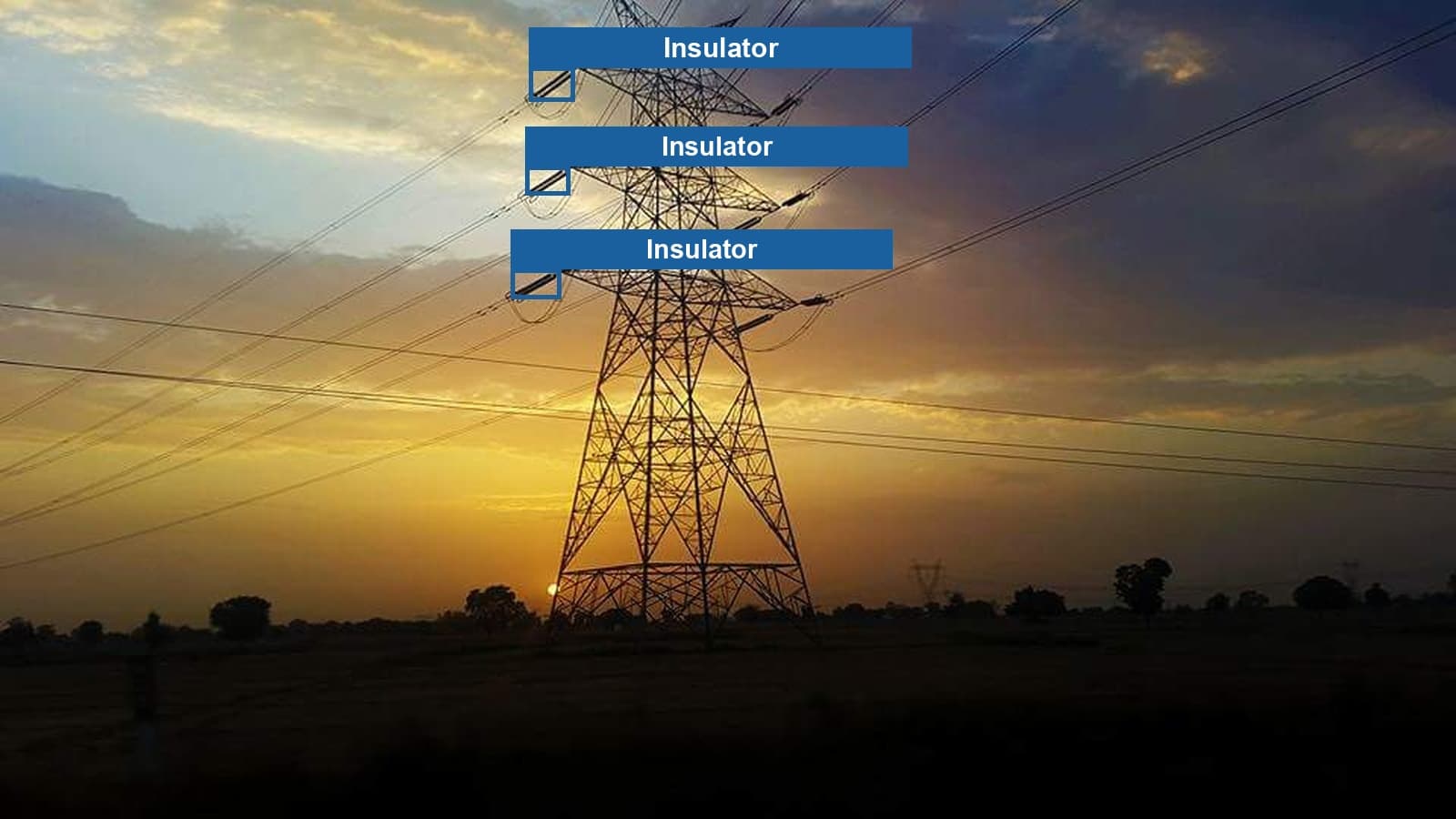
  • Structural components located in frame for context. They are not reported as findings.

Pipeline and reporting

  • Imagery organised by tower automatically
  • Bounding-box annotation of every finding
  • A checklist configured to your own inspection parameters
  • A per-tower report, ready for your inspector to review

Operator dashboard

  • Upload interface for drone photography, visual and thermal
  • Evidence review before a report is finalised
  • Reports as PDF, Excel or CSV, or in the format you already use
  • An API for teams who want the output in an existing system

Inspection modes

Visual and thermal, both live.

Two ways to inspect a tower survey, presented on the same footing.

Visual inspection

Live

Defects are detected from standard drone photography.

Structural components are located for context. They are not reported as findings.
  • Broken or damaged insulator
  • Broken conductor
  • Corrosion
  • Missing anti-climb device
  • Bird nest
  • Vegetation encroachment

Thermal inspection

Live

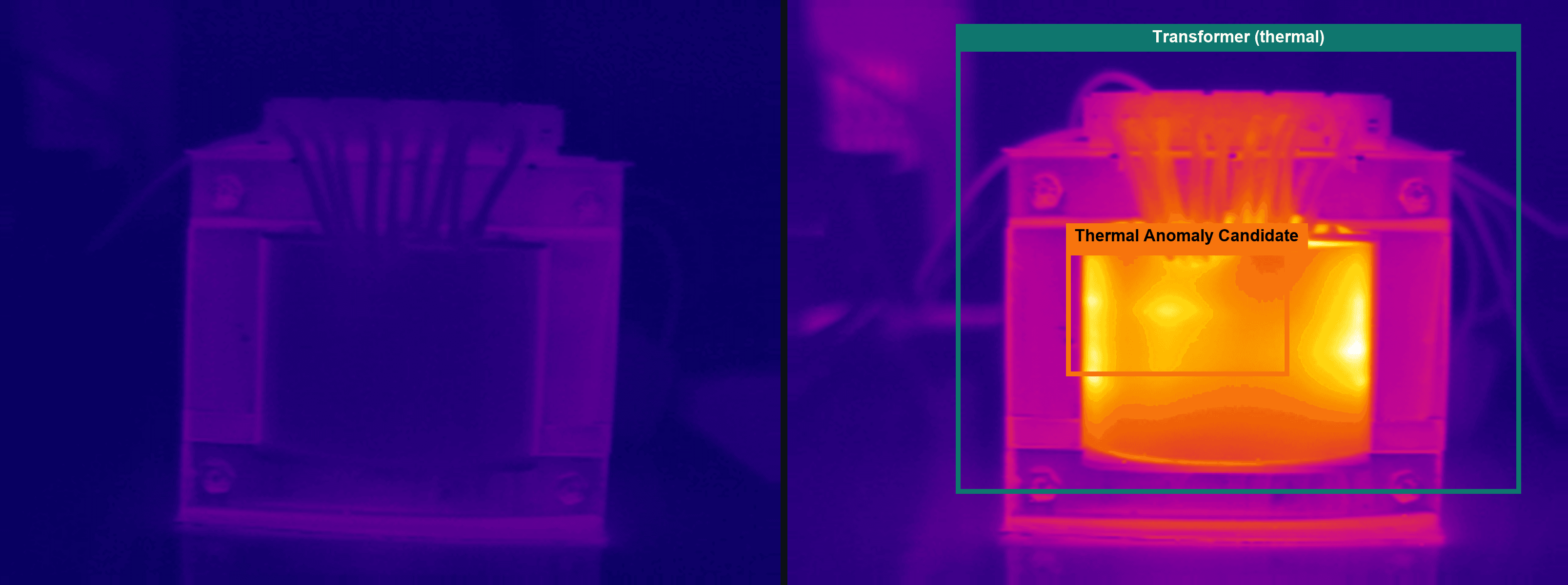
Thermal inspection is live. NexG Vision locates equipment in thermal imagery and flags frames that deviate from normal condition. It calibrates to your camera and your site.

Every camera, site and environment is different. We calibrate against your own normal-condition captures. That calibration is the reason we ask for your thermal imagery early.

  • Locates equipment in thermal imagery
  • Flags frames that deviate from normal condition
  • Calibrated to your camera and your site

Fit

Where it belongs.

Who it’s for

  • Drone inspection service providers who fly transmission-line surveys and sell inspection reports onward to utilities. Flying is solved. The cost sits in post-flight review. That review is what this compresses.
  • Teams whose review cost scales with line length and caps how much survey work they can take on without adding headcount.
  • Teams evaluating whether AI-assisted screening is worth adopting, starting with a bounded, human-reviewed pilot.

What changes

  • A first pass over every frame. Your inspector spends less time searching and more time deciding.
  • A structured, per-tower report with supporting imagery, ready for review.
  • A system that flags a point for review when it cannot assess it. It never records that as a pass.

Built on

  • NexG Vision · Aegis, visual inspection engine, developed and trained in-house
  • NexG Vision · Ember, thermal inspection engine, developed and trained in-house
  • Checklist configured to your inspection parameters
  • PDF, Excel or CSV report generation
  • Operator dashboard
  • API for system integration

In the field

A live pilot engagement.

We are running a live tower inspection engagement with a transmission line inspection operator in India.

What NexG Vision does and does not do.

  • Every report is reviewed and signed off by your qualified inspector.
  • NexG Vision supports inspection. It does not certify structural or electrical condition.
  • Coverage is defined by what has been trained for your parameter set. We say so when a parameter is outside it.

Gallery

See it in use.

Questions

Before you ask for a quote.

The things people check before asking for a number.

Time on the part that does not scale: post-flight review. NexG Vision gives your reviewer a first pass over every frame. Findings are flagged and evidence is attached. Your team keeps the judgement and the sign-off.

Yes. Thermal inspection is live. NexG Vision locates equipment in thermal imagery and flags frames that deviate from normal condition. It calibrates to your camera and your site, using your own normal-condition captures.

No. Every report is reviewed and signed off by your qualified inspector. NexG Vision supports inspection. It does not certify structural or electrical condition.

NexG Vision says so. It flags the point for review. It never records it as a pass.

Yours. The checklist is configured to your own inspection parameters.

A pilot on your own line. You provide the imagery and your inspection parameters. Request a quotation below. If you would rather see the output first, ask for a sample report.

Get a quotation

Tell us what you need.

Share the workflow, users, and constraints you're working with. We'll follow up with a scoped quotation.

Next step

A pilot on your own line.

You provide the imagery and your inspection parameters. You get back per-tower reports with the supporting evidence, dashboard access, and a system tuned to how you already work.

You provide

  • Drone imagery from your survey
  • Your inspection parameter list

You get back

  • Per-tower reports with annotated evidence
  • Operator dashboard access
  • A system tuned to how you already work

Every output is reviewed by your qualified inspector before operational use. Reports come as PDF, Excel or CSV, or in the format your existing reporting already uses. We discuss pricing against your scope. There is no fixed price list.

Required

Email us instead

Ask for a sample reportPrefer a lighter first step than a full quote request? Ask for a sample report or a 20-minute walkthrough instead.

Back to top